
How To Download Your Tax Return Transcripts
You will need the following information
Contact Information
- Your e-mail address
- Your cell phone number
Personal Information
- Full Name
- Birthday
- Social Security Number
- Tax Filing status (which is if you filed in the last 7 years and how Single, head of household, Married Filing Jointly, etc.) This is listed on the top of the first page of your return.
- Current Address
You will need an account number from ONE of the following
- The last 8 digits of you credit card
- Student loan account number
- Mortgage or home equity loan account number
- Auto loan account numb
When you have finished reading this tutorial click here to get your Tax Return Transcripts
Step 1
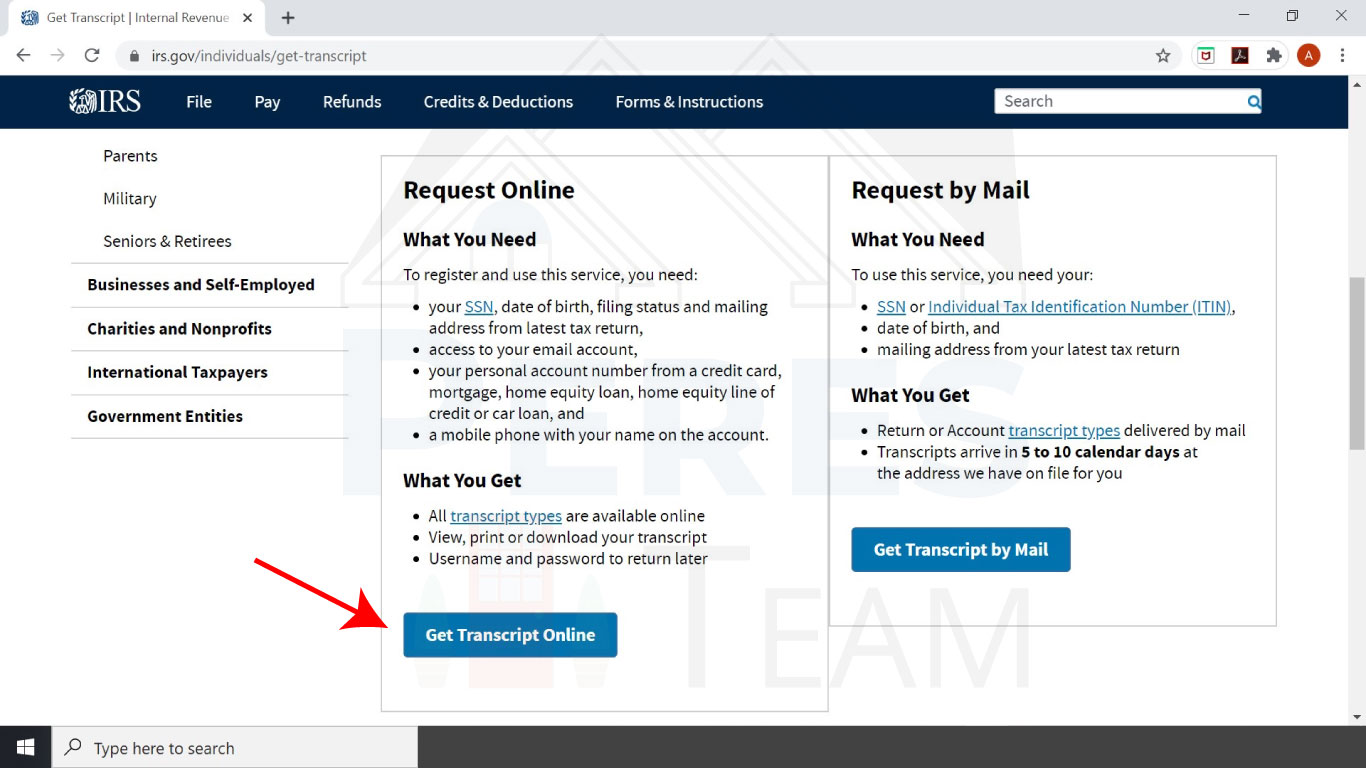
Scroll to the bottom of the page and click Get Transcripts Online
Step 2
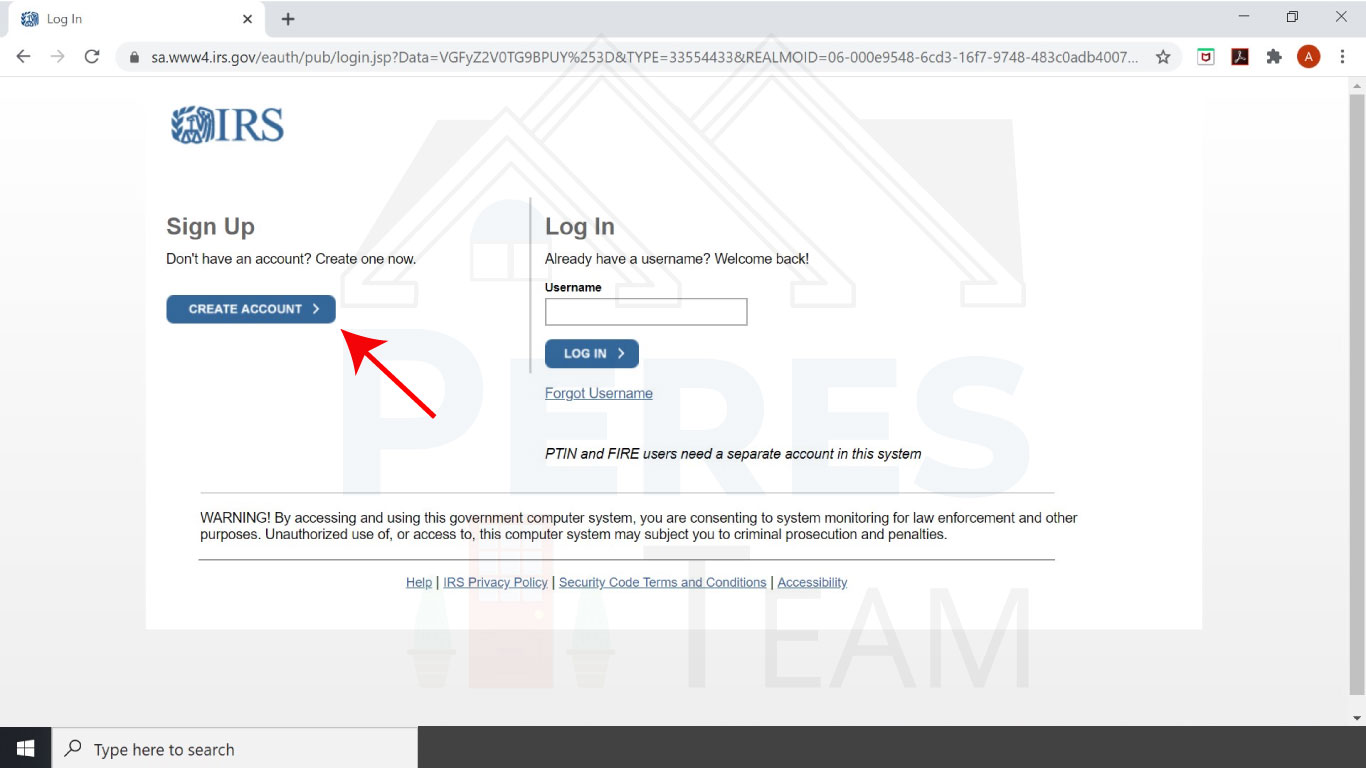
Click Create Account
Step 3
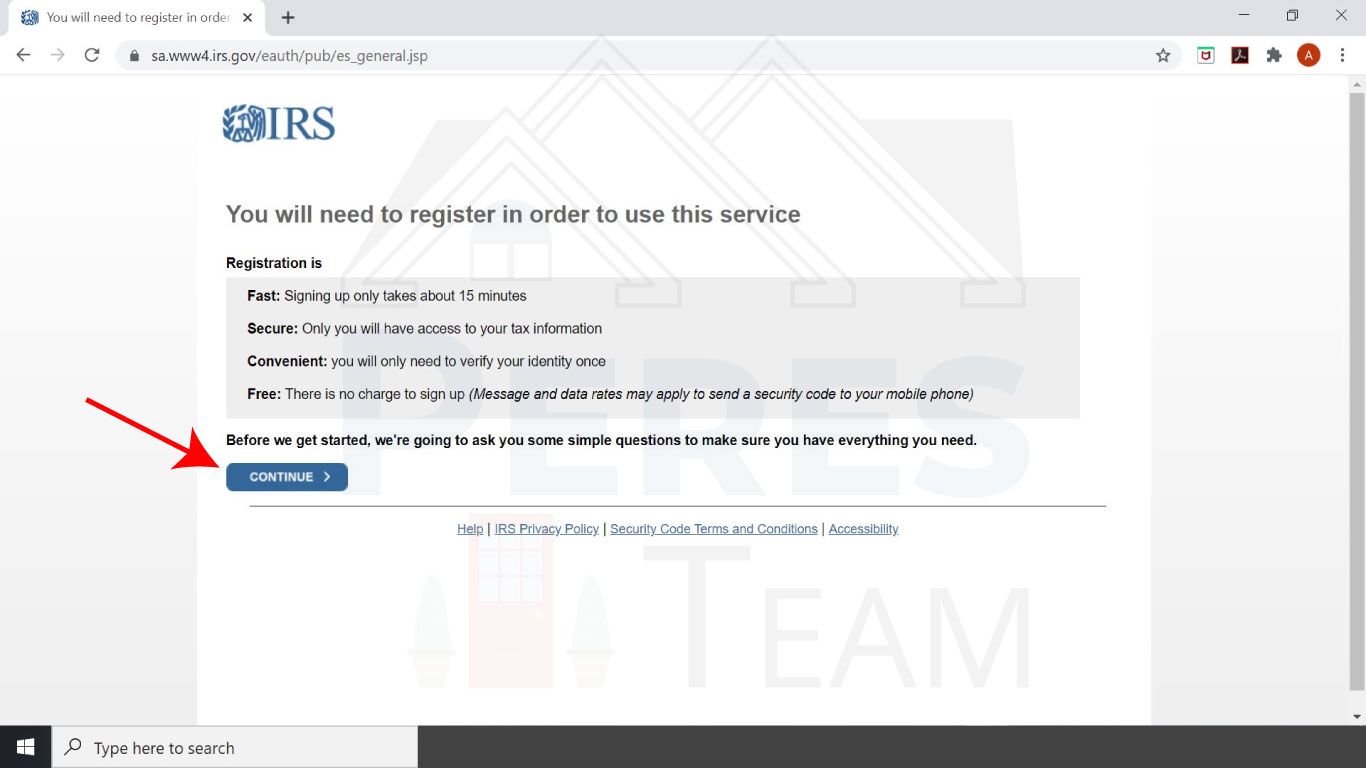
Click Continue
Step 4
Have all the information ready then click Yes
You will need
- Full Name
- Birthday
- Social Security Number
- Tax Filing status (which is if you filed in the last 7 years and how Single, head of household, Married Filing Jointly, etc.) This is listed on the top of the first page of your return.
- Current Address

Step 5
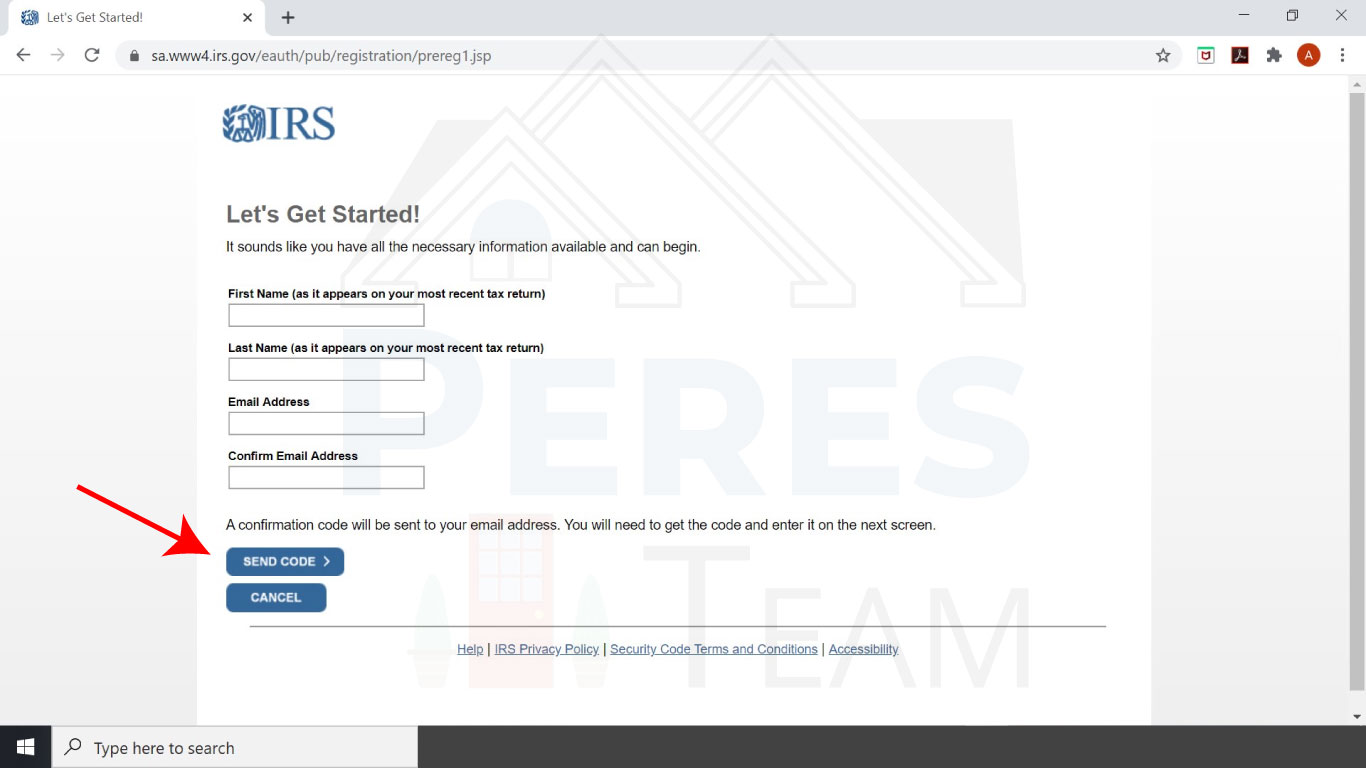
Enter your name and email address. Then click Send Code
*** A code will be emailed to you and you will be asked to enter it on the next page.
Step 6
After you’ve entered your information you will need one of the following:
- The last 8 digits of you credit card
- Student loan account number
- Mortgage or home equity loan account number
- Auto loan account number
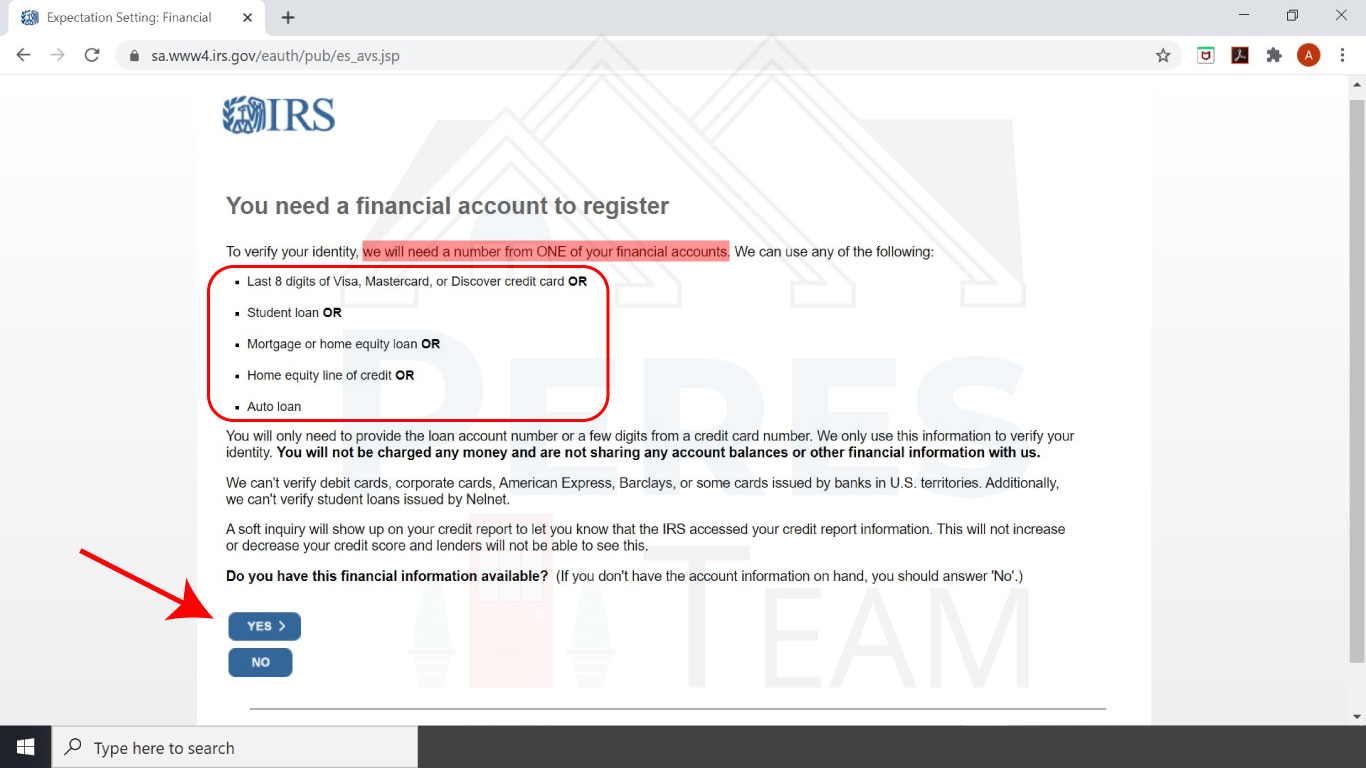
Step 7
You will need a cell phone number that can receive text messages on. After you have this click continue, enter your phone number and click send code.
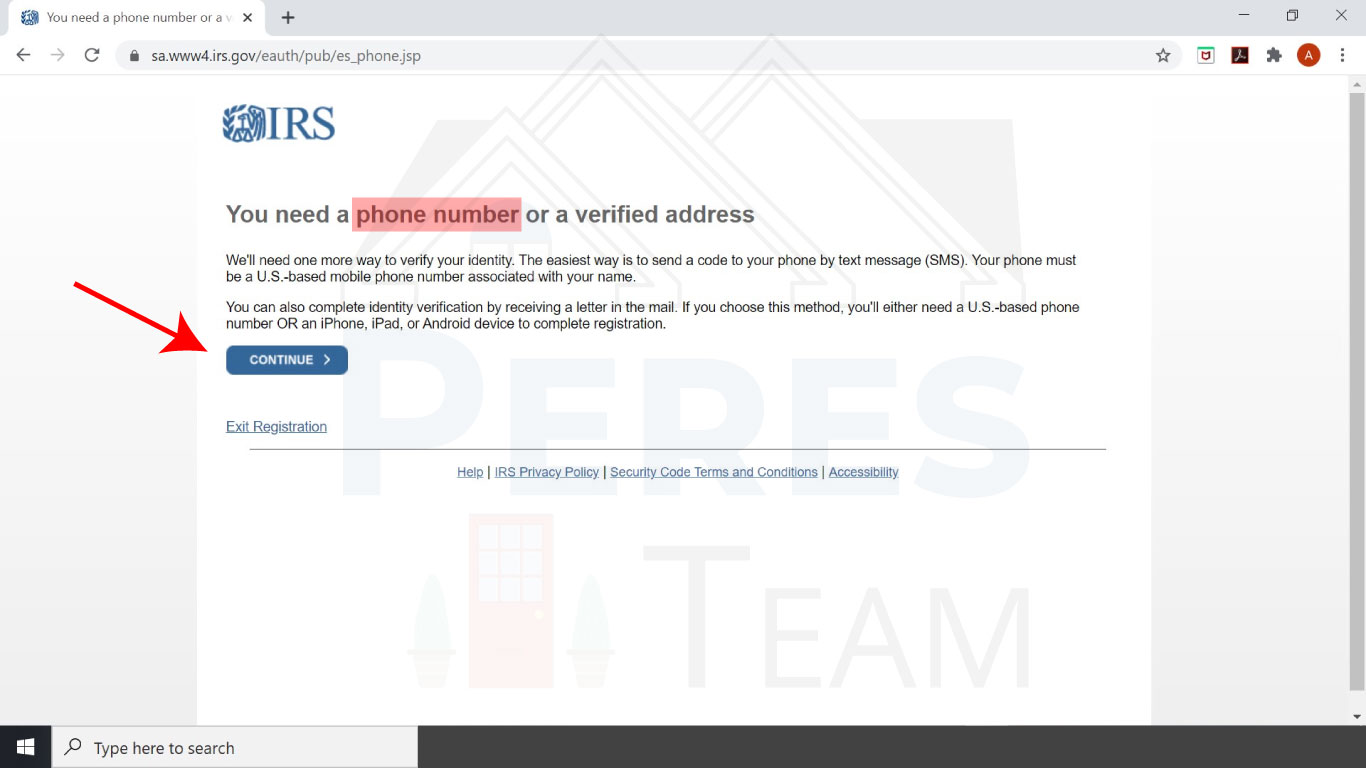
Step 8
You are now able to access your transcripts! You can click the year and follow the steps in the next step to download them
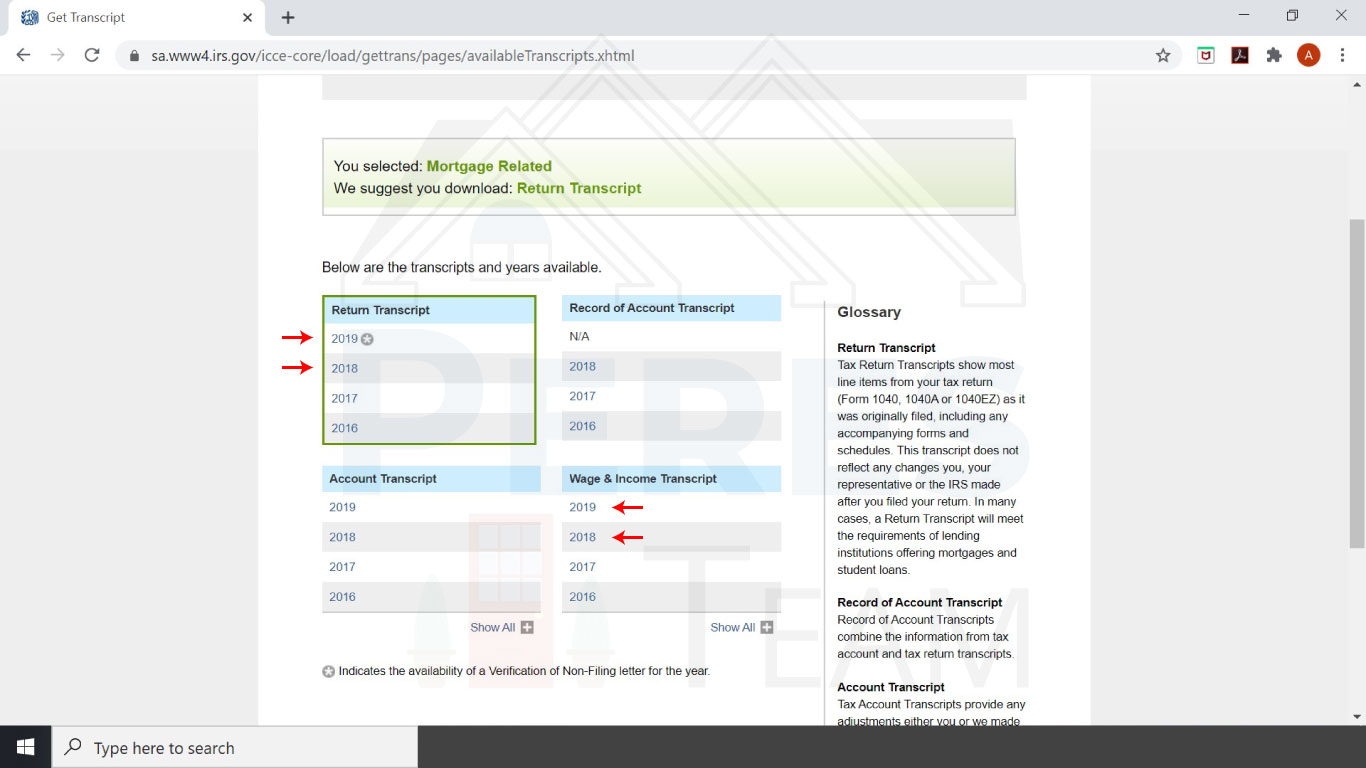
Step 9
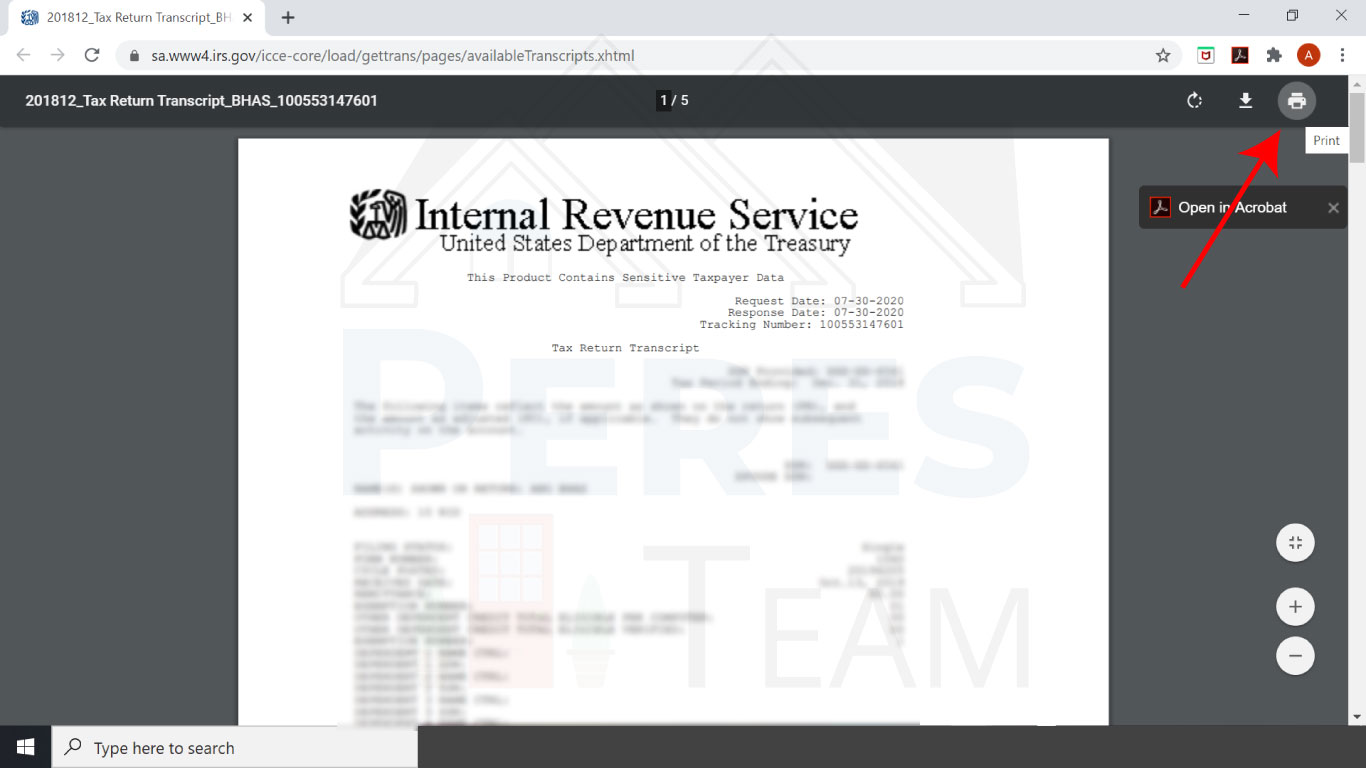
After you click on a year your browser will open a new tab showing the transcript.
Click Print
Step 10
1.) Click the printer selection dropdown
2.) Select the printer as “Save as PDF”
3.) Click Save
